Scan the paper.
Turn one page or many into a PDF.
 SignDocs
MADE FOR IPHONE & IPAD
Turn documents into PDFs, capture your real handwritten signature, and save a signed copy. Signature Scan: Sign PDFs — the app you know as SignDocs — for iPhone and iPad.
On-device processing. No account required.
Requires iOS 26 or iPadOS 26 or later.
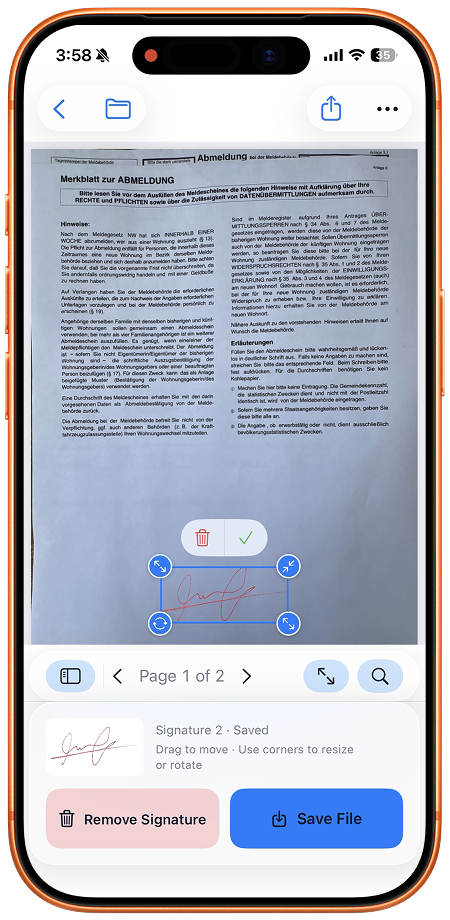
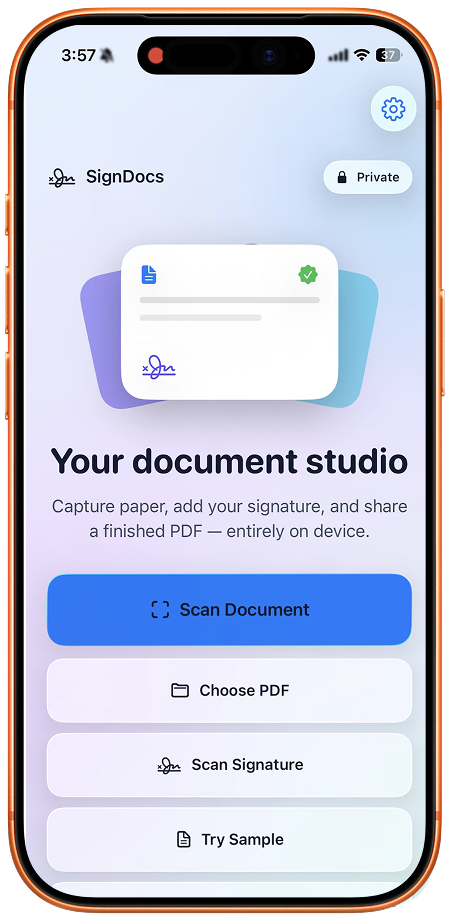
Turn one page or many into a PDF.
Add your own handwritten signature.
Save a signed copy, ready to share.
A CLOSER LOOK
From the first scan to the final signature.
All in one place, on your device.
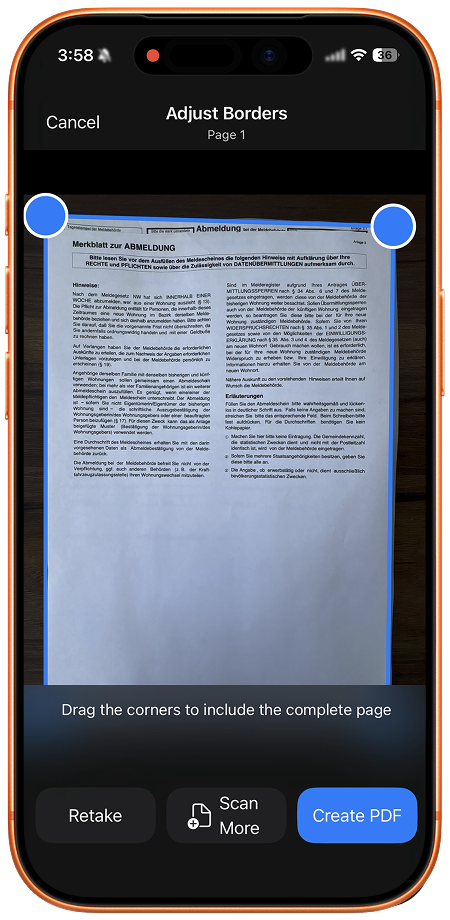
SCAN DOCUMENTS
Scan automatically or capture manually. Adjust corners, correct perspective, and combine multiple pages into one PDF.
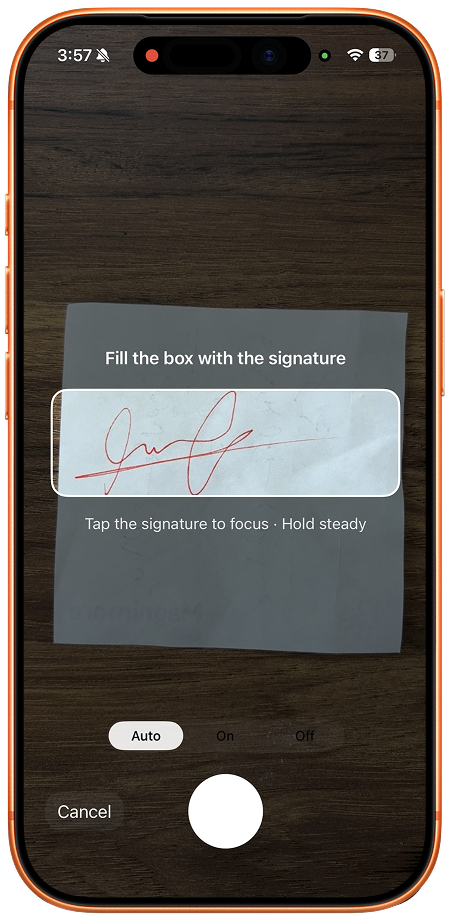
CAPTURE YOUR SIGNATURE
Sign a piece of paper and line it up with the camera guide. Capture your handwriting, just as you wrote it.
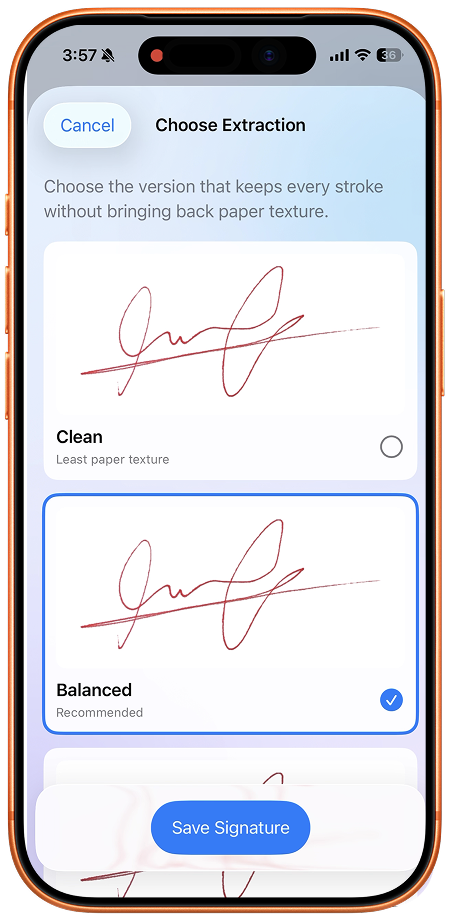
REFINE THE DETAILS
Crop away the paper and remove its background. Choose Clean, Balanced, or Bold while preserving black, red, or dark blue ink.
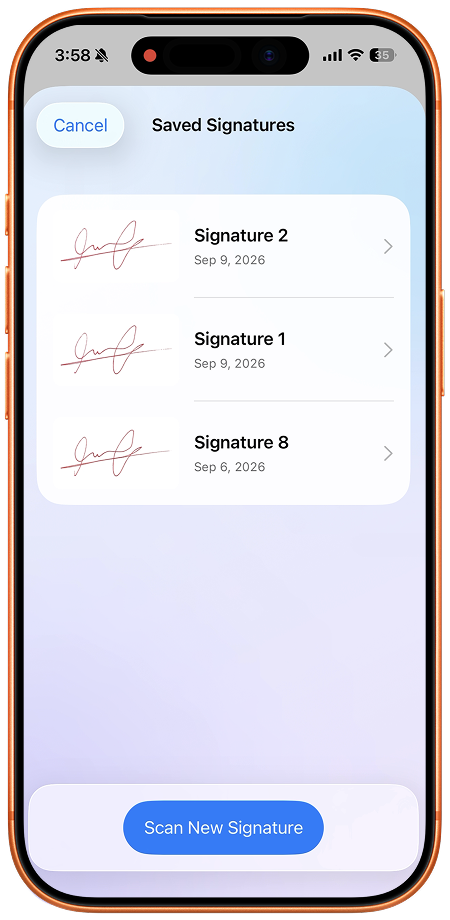
SAVE YOUR SIGNATURES
Keep signatures on your device and use them again whenever you need. Rename or delete them at any time.
SIGN YOUR PDF
Open a PDF from Files or a fresh scan. Choose a page, then drag and pinch your signature into place. Save a new signed copy.
A few taps. A little less paperwork.
Feature 1 / 5: Paper in. PDF out.
PRIVATE BY DESIGN
Your documents and signatures are processed entirely on your iPhone or iPad. SignDocs never uploads them for processing. You decide when and where to share.
Scanning, signature cropping, background removal, and PDF creation all happen on your device.
Open the app and get to work. Your saved signatures stay on your device, ready when you need them.
Save a new PDF with your signature embedded. The original PDF stays unchanged.
A LITTLE KNOW-HOW
CAPTURE A SIGNATURE
Capture the signature you write on paper, refine its background, and save it on your iPhone to reuse when signing PDFs in SignDocs.
Read the guide ↗SCAN DOCUMENTS
Scan a stack of paper into one PDF on iPhone, check the crop and page count, and save a document that is ready to sign or share.
Read the guide ↗SIGN A PDF
Sign an existing PDF on your iPhone, add your real handwritten signature, and save a separate signed copy without printing or scanning the whole document.
Read the guide ↗Scan, sign, and get on with it.

For iPhone and iPad.